An online dungeon crawler

Beyond The Gate

Gather your party in town, step through the Gate and dive an endless, ever-shifting dungeon. Thousands of monsters stand between you and the next floor, and every one of them might drop something better.
Installs in one click and keeps itself up to date.

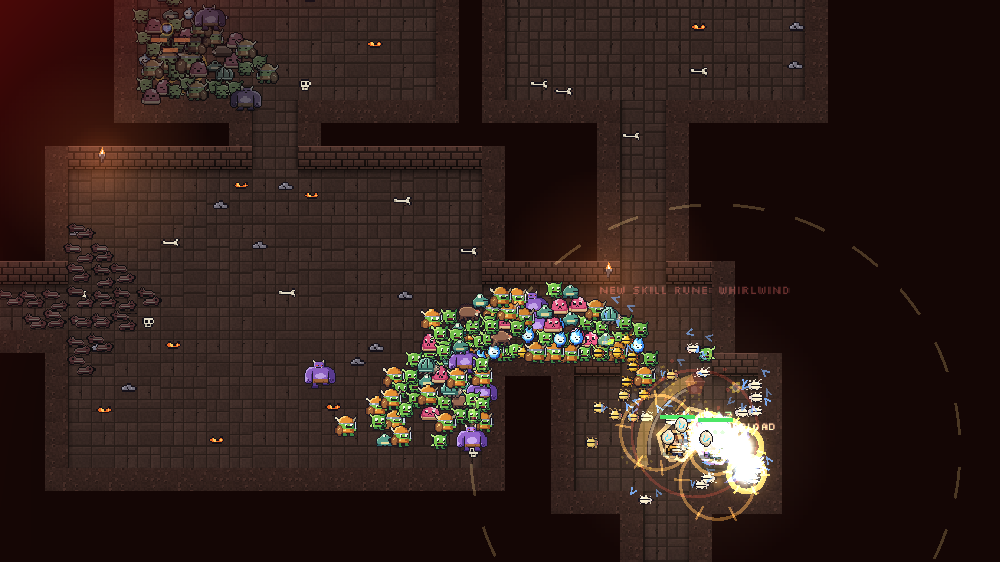
A party of heroes holding off a horde of goblins, slimes and ogres in a torchlit dungeon

The Horde

Goblins, hounds, ogres, beetles and worse, by the thousand. Elites, Wardens and a boss every 25 floors.

The Loot

Every kill rolls just for you. Forge, reroll and imbue your gear, raise a pet, and hand an heirloom down to your heir.

The Party

Up to six friends on one floor. Build your skills on the rune board, revive the fallen and take the stairs together.

Getting started

  1. Download BeyondTheGate.exe and run it. It installs itself for you (no admin needed), adds Beyond The Gate to your Start menu and starts the game.
  2. If Windows SmartScreen stops it, choose More info, then Run anyway.
  3. Play from the Start menu from then on. Every launch checks for a newer build and updates on its own.
  4. To remove it, use Settings, Apps. Your characters are kept.

On Android

  1. Download BeyondTheGate.apk on your phone and open it. Android asks once to allow installs from your browser: allow it, then Install.
  2. Play by touch: drag anywhere on the left to move, hold Attack, tap Dodge and your skills. The menu button by the map (or Back) opens everything else. A controller works too.
  3. When the title screen says Update ready, tap it and install the new APK over the old one. Your characters are kept.